
AI scene sample 1 · publish-ready
Loading...
Loading...
Turn prompts and reference images into publish-ready video, image, and cinematic scenes.
No auto-renewal · Sign in with Google · 50 free credits (30 days) for new accounts
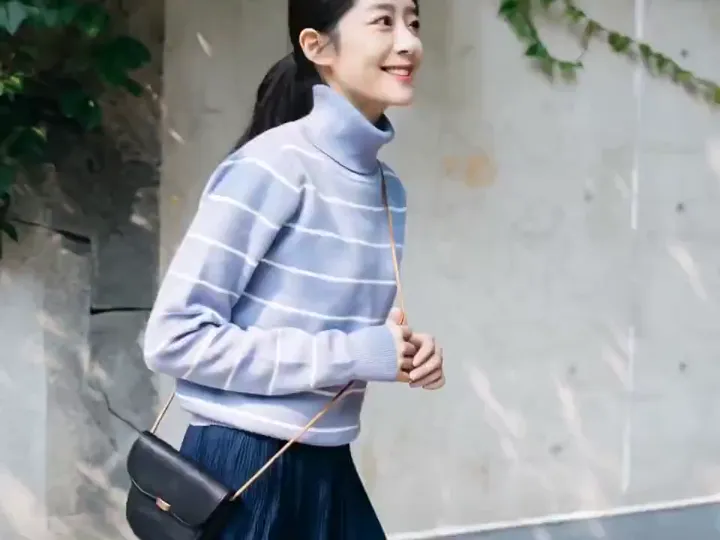
Everything runs from a single Create panel and one credit wallet — no auto-renewing subscription, with fixed validity per pack.
Video · Image · Edit
Three workflows, one place
Generate AI video, create images from text, and edit reference photos without switching apps.
Pro models
Z Image · Nano Banana · Seedance
Choose the model that fits each job — quality, speed, and the exact credit cost are shown before you submit.
Pay per generation
Credit packs with expiry
Buy packs valid for 30 days to 1 year. Credits closest to expiry are used first when you generate.
Popular tools
Each page includes samples, model guidance, and credit estimates — open a guide before you generate.
Prompt library
Browse real AI image prompts and open the Create panel with one click — aspect ratio and prompt pre-filled.
Browse full inspiration galleryShowreel
Explore videos and images built for short-form platforms, campaigns, and cinematic experiments.
AI scene sample 1 · publish-ready
AI media generator
OpenVideos helps creators turn prompts, reference images, and visual ideas into generated media assets. The workflow is designed for people who need AI video generation, AI image generation, short-form social clips, product scenes, concept visuals, and movie-style frames in one place.
Create motion clips from prompts or reference media for social content, product reveals, character moments, and campaign tests. The interface keeps model choice, duration, aspect ratio, and generation settings close to the creative brief.
Generate portraits, product scenes, poster frames, visual concepts, and cinematic stills. Use image outputs as standalone assets or as references for later video generation.
OpenVideos is built around formats creators already publish: vertical clips, landscape scenes, square assets, and stylized frames for TikTok, Reels, Shorts, campaign pages, and creative review decks.
Workflow
Four steps from idea to publish-ready asset, without a traditional editing timeline
Start with a prompt, reference image, or media file
Use the material you already have
Pick video, image, short-form, or cinematic styling
Model settings stay focused on your output goal
OpenVideos creates the media automatically
Prompting, visuals, and processing in one flow
Download assets for social, campaigns, or concept work
Ready for TikTok, Reels, Shorts, and creative reviews
Directions
Choose the format that matches the story you want to test
Optimized for AI video, image, and short-form creation
Plans
Use credits across AI video, image, short clip, and cinematic scene workflows. Choose the pack that matches your production volume.
New accounts get 50 free credits (30 days) — enough for about 5 AI images.
$12.90
1,000 credits · 30 days
$29.90
2,500 credits · 3 months
$79.90
10,000 credits · 6 months
$199.00
30,000 credits · 1 year
Secure checkout · Validity 30 days to 1 year
Start now
OpenVideos gives creators a focused AI studio for video, image, short-form, and cinematic experiments. Buy credits when you are ready to generate production-ready assets.