
Season cues
Autumn park, golden hour, and layered knits set lifestyle context faster than generic fashion words.
Loading...
Reference edit preset
Create a golden-hour fashion portrait from a reference photo — autumn park setting, layered wardrobe, and candid lifestyle photography light.
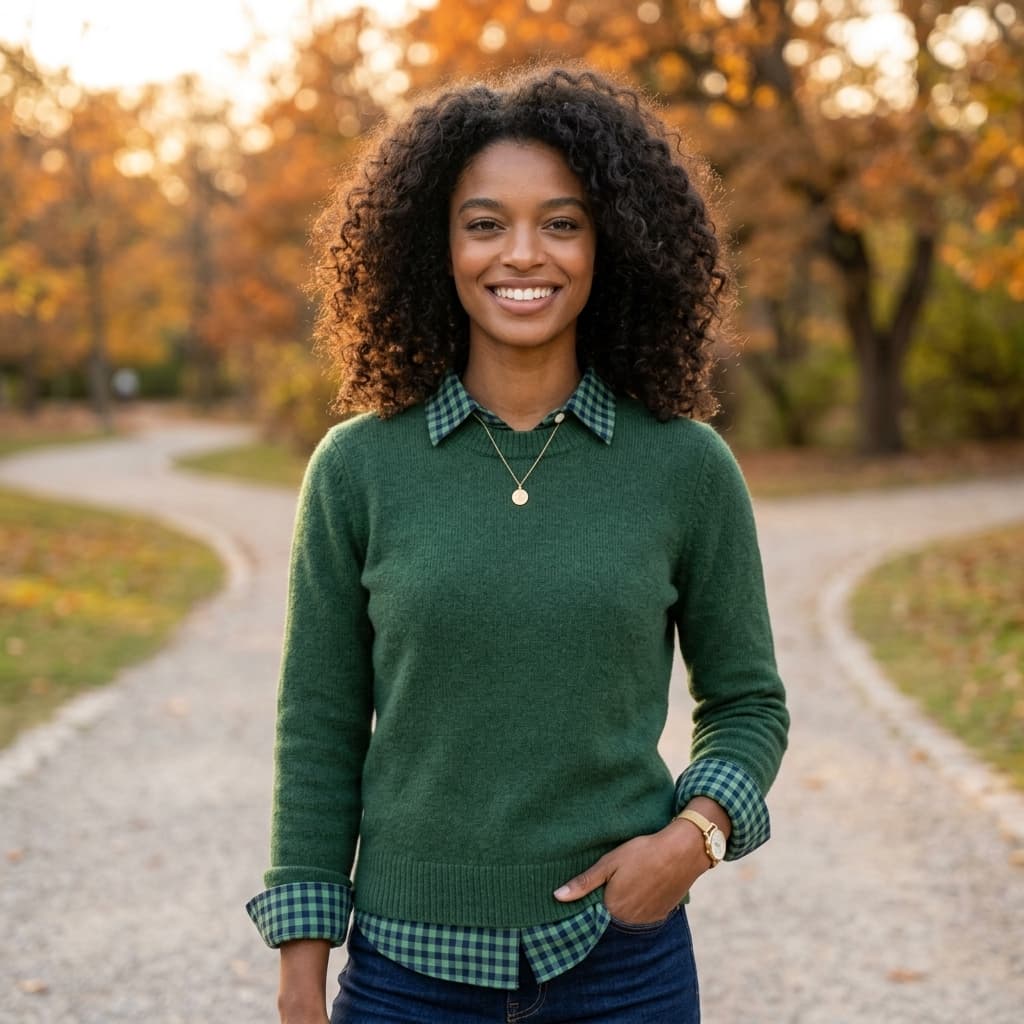
Fashion edit prompts should describe season, wardrobe layers, location bokeh, and natural skin texture while preserving identity from the upload.
GPT Image 2 Edit opens for higher-fidelity fabric and skin detail. Mention preserve identity when swapping outfits or backgrounds.
Pair with /ai-image-generator/cinematic if you later need a text-only fashion still without a reference upload.
Edit prompt tips
Autumn park, golden hour, and layered knits set lifestyle context faster than generic fashion words.
GPT Image 2 Edit responds well to gingham, linen, and knit texture when you name them.
Preserve facial features before changing wardrobe — conflicting age or hair edits break likeness.
Edit samples
Curated edit prompts for this page. Upload your photo in Create after opening a sample.
More edit workflows
Yes. Replace wardrobe and location words in Create while keeping preservation cues for the face.
1:1 in the preset. Change aspect ratio in Create before submit if you need vertical Reels cover crops.
More questions on the image editor hub FAQ
Plans
Use credits across AI video, image, short clip, and cinematic scene workflows. Choose the pack that matches your production volume.
New accounts get 50 free credits (30 days) — enough for about 5 AI images.
$12.90
1,000 credits · 30 days
$29.90
2,500 credits · 3 months
$79.90
10,000 credits · 6 months
$199.00
30,000 credits · 1 year
Secure checkout · Validity 30 days to 1 year
Start editing
Open the studio, pick an edit model, and generate in the same OpenVideos workflow.