
Match aspect ratio to use
For graphic fashion poster, use 2:3 or 3:4 for portraits and 1:1 for social — change in Create.
Loading...
Text-to-image prompt
High-end graphic poster with typography and fashion photography mood — Z Image Turbo prompt.
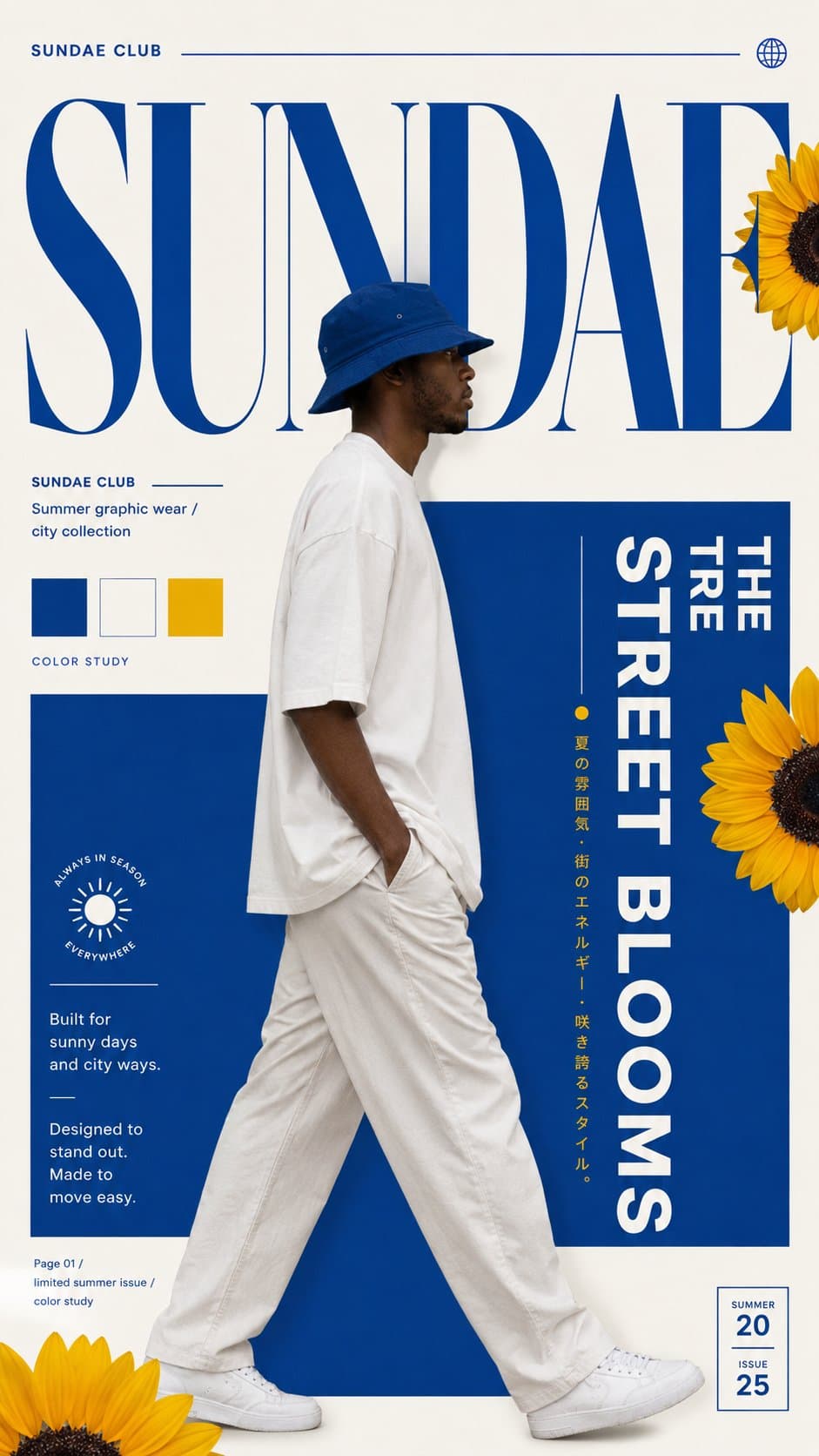
Sample prompt text
Create a high-end graphic fashion poster with strong color, typography, fashion photography and brand mood.

Theme: [streetwear / dance / fashion film / designer brand / lifestyle brand]
Direction: [color block street poster / floral motion typography / type mask portrait / geometric space fashion poster]
Brand / project name: [name]
Main title: [short headline]
Subtitle: [short subtitle]
Model / subject: [model, dancer, portrait, product, fashion look]
Color palette: [blue-yellow / orange-black-white / monochrome / white-navy-grey]
Mood: [fresh / graphic / minimal / playful / artistic / modern / editorial]
Aspect ratio: [9:16]

The poster should feel like a premium fashion design piece, brand campaign poster, lookbook cover or editorial visual.

Use bold typography, clean layout, strong negative space, realistic fashion photography, graphic color blocks, geometric structure, floral or abstract elements when needed, and a clear hierarchy between image, type and space.

Choose one direction:

1. Color block street poster
   Use a large brand wordmark, side-walking model, bold color blocks, small color palette swatches, flower accents and a fresh streetwear mood.

2. Floral motion typography
   Use a fashion model or dancer with elegant body movement, oversized letterforms, fabric motion, floral / orange accent elements and refined editorial typography.

3. Type mask portrait
   Use a black-and-white portrait cut through huge vertical typography. Let the face appear inside the letterforms, like a fashion film poster or design magazine cover.

4. Geometric space fashion poster
   Place the model inside a clean white geometric space, cube, doorway or architectural structure. Use minimal typography, soft shadows and designer-brand styling.

Keep the result high-end, graphic, clean, fashionable and visually designed.

Avoid cheap template design, messy stickers, random decorations, low-end poster style, weak typography, distorted body, bad hands, fake plastic skin, cluttered layout, bad text rendering and real copyrighted brand logos.
This is the exact sample from our gallery. Edit subject, lighting, or model in Create before you confirm credits.
graphic fashion poster prompts work best with explicit subject, lighting, lens, and aspect ratio — Z Image Turbo iterates quickly in Create.
Credits are per image in Create. Switch to Nano Banana or GPT Image 2 Text-to-Image for higher-fidelity stills.
How to adapt this prompt
For graphic fashion poster, use 2:3 or 3:4 for portraits and 1:1 for social — change in Create.
Pick photo OR illustration per generation; mixing styles confuses models.
Similar prompts
Ultra-real rainy street fashion portrait with emerald trench and golden backlight — Z Image Turbo text-to-image at 2:3 editorial ratio.
Continuous line art with floral accents and cursive wordmark — Z Image Turbo text-to-image for minimalist brand mockups at 1:1.
Serene lakeside portrait with splash motion, embroidered kurta, and birch-framed golden light — Z Image Turbo at 9:16.
FAQ
No — text-to-image only. Upload-based edits use image-editor (Nano Banana, Seedream 4).
Yes in Create before confirming credits — Z Image Turbo, Nano Banana, or GPT Image 2.
Plans
Use credits across AI video, image, short clip, and cinematic scene workflows. Choose the pack that matches your production volume.
$9.90
1,000 credits
$99.00
11,000 credits
$299.00
40,000 credits
Secure checkout · Account credits
Start creating
Open Create, adjust the sample, and confirm credits before you generate.