
Match aspect ratio to use
For generate bright and clear festive, use 2:3 or 3:4 for portraits and 1:1 for social — change in Create.
Loading...
Text-to-image prompt
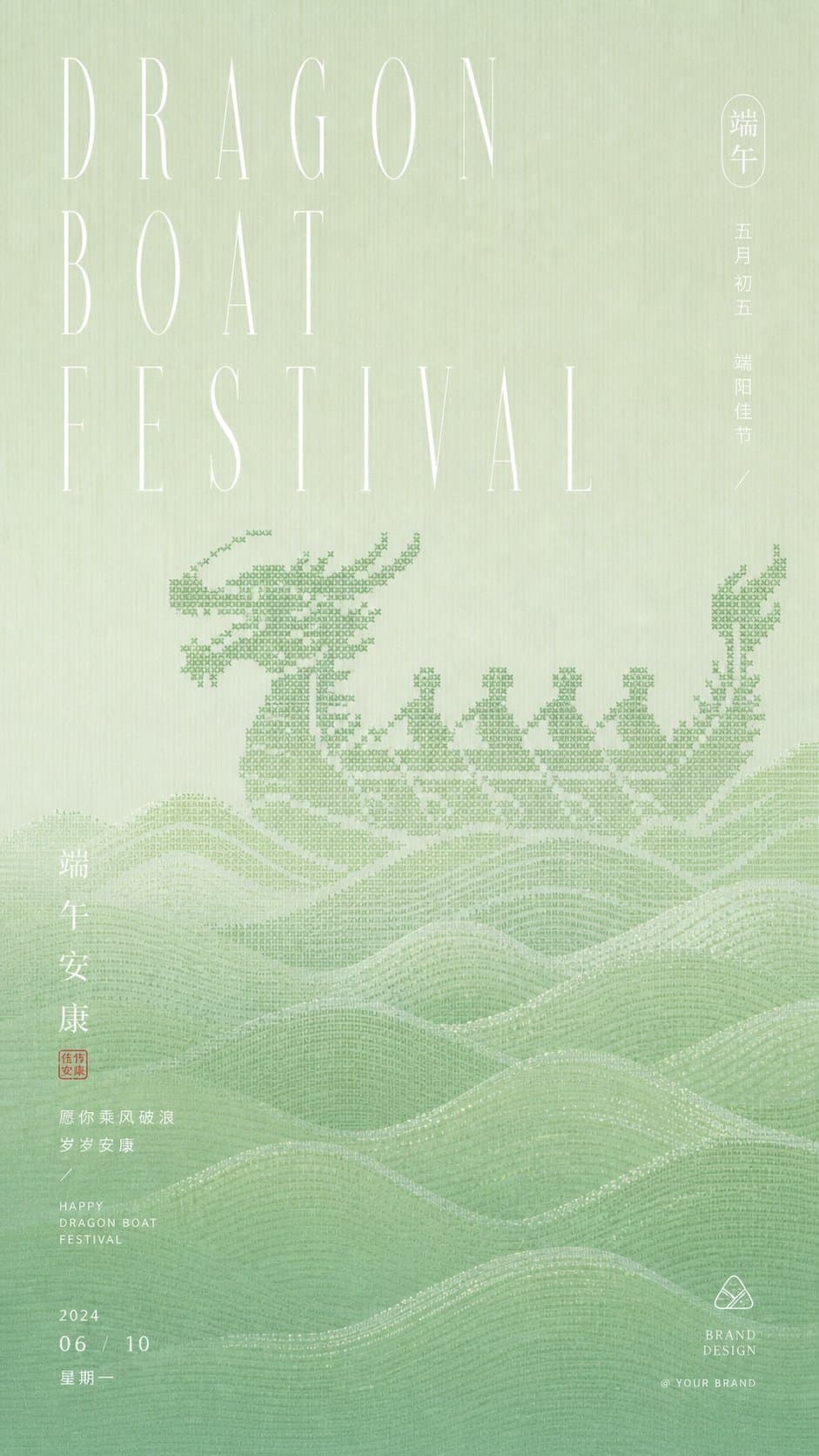
Gallery sample for Generate Bright And Clear Festive — open Create with the preset Z Image Turbo prompt, model, and aspect ratio from this page.
Sample prompt text
Generate a bright and clear festive graphic visual around any theme object: The visual first reads as a coarse-grained pixel weave graphic translated from the core outline of the theme. The graphic does not aim for realistic depiction but resembles a symbolic dark pattern woven into a light, bright background. Edges appear intermittently as stepped blocks. The subject and background maintain a monochromatic value difference, ensuring the image has texture when viewed up close and forms a complete memorable point from a distance. Below, continuous undulating horizontal ripples or theme-derived rhythmic patterns are laid out as a supporting layer and reading buffer; the lines stack layer by layer but maintain a sense of ventilation. The information layer uses extremely thin, elongated, and elegant high-contrast fonts for the main title. The font size can overpower the texture layer, with spacious letter spacing, supplemented by a small amount of small-font dates, blessings, seal-style phrases, and miniature brand information at the bottom. All text floats gently on the screen like transparent white light. Colors are extracted from the material, season, and cultural mood of the theme itself, mapped into bright high-value background colors, slightly deeper theme dark patterns, clean structural shadows, a few clear information colors, and slight grainy shadows, maintaining a mood that is clear and quiet, fresh and clean, low-contrast but distinct in layers; Textures can include fine paper fibers, vertical fabric lines, soft grains, and a slight printed feel. The overall style is restrained, with ample whitespace and precise information order, avoiding a realistic illustration feel, heavy or muddy colors, complex decorations, and crowded layouts. —————— The visual is to be replaced with: Dragon Boat racing, retaining the direction of a festive poster with a pixel-weave dragon boat and water wave support. For WeChat Moments use: As a Dragon Boat Festival greeting poster, the main title can be written as DRAGON BOAT FESTIVAL or 端午安康. Size requirements: Vertical 9:16, overall still clear light green, with a small amount of fine white text.
This is the exact sample from our gallery. Edit subject, lighting, or model in Create before you confirm credits.
generate bright and clear festive prompts work best with explicit subject, lighting, lens, and aspect ratio — Z Image Turbo iterates quickly in Create.
Credits are per image in Create. Switch to Nano Banana or GPT Image 2 Text-to-Image for higher-fidelity stills.
How to adapt this prompt
For generate bright and clear festive, use 2:3 or 3:4 for portraits and 1:1 for social — change in Create.
Pick photo OR illustration per generation; mixing styles confuses models.
Similar prompts
Two fighters clash in a wooden dojo with red and blue energy trails — Z Image Turbo text-to-image at 4:3 action framing.
Gallery sample for Attire Description Matching Color Palette — open Create with the preset Z Image Turbo prompt, model, and aspect ratio from this page.
Ceremonial poster with centered subject and calm posture — Z Image Turbo event graphics prompt.
FAQ
No — text-to-image only. Upload-based edits use image-editor (Nano Banana, Seedream 4).
Yes in Create before confirming credits — Z Image Turbo, Nano Banana, or GPT Image 2.
Plans
Use credits across AI video, image, short clip, and cinematic scene workflows. Choose the pack that matches your production volume.
New accounts get 50 free credits — enough for about 5 AI images.
$9.90
1,000 credits
$99.00
11,000 credits
$299.00
40,000 credits
Secure checkout · Account credits
Start creating
Open Create, adjust the sample, and confirm credits before you generate.