
Layer the subject
Color subject in the foreground, grayscale close-up behind — that depth read sells the collage poster look.
Loading...
Reference edit preset
Turn a reference photo into a high-end fashion collage poster — a full-color foreground subject over a background grayscale layer, framed by abstract brushes, ink splashes, and a bold-title typography hierarchy with GPT Image 2 Edit.
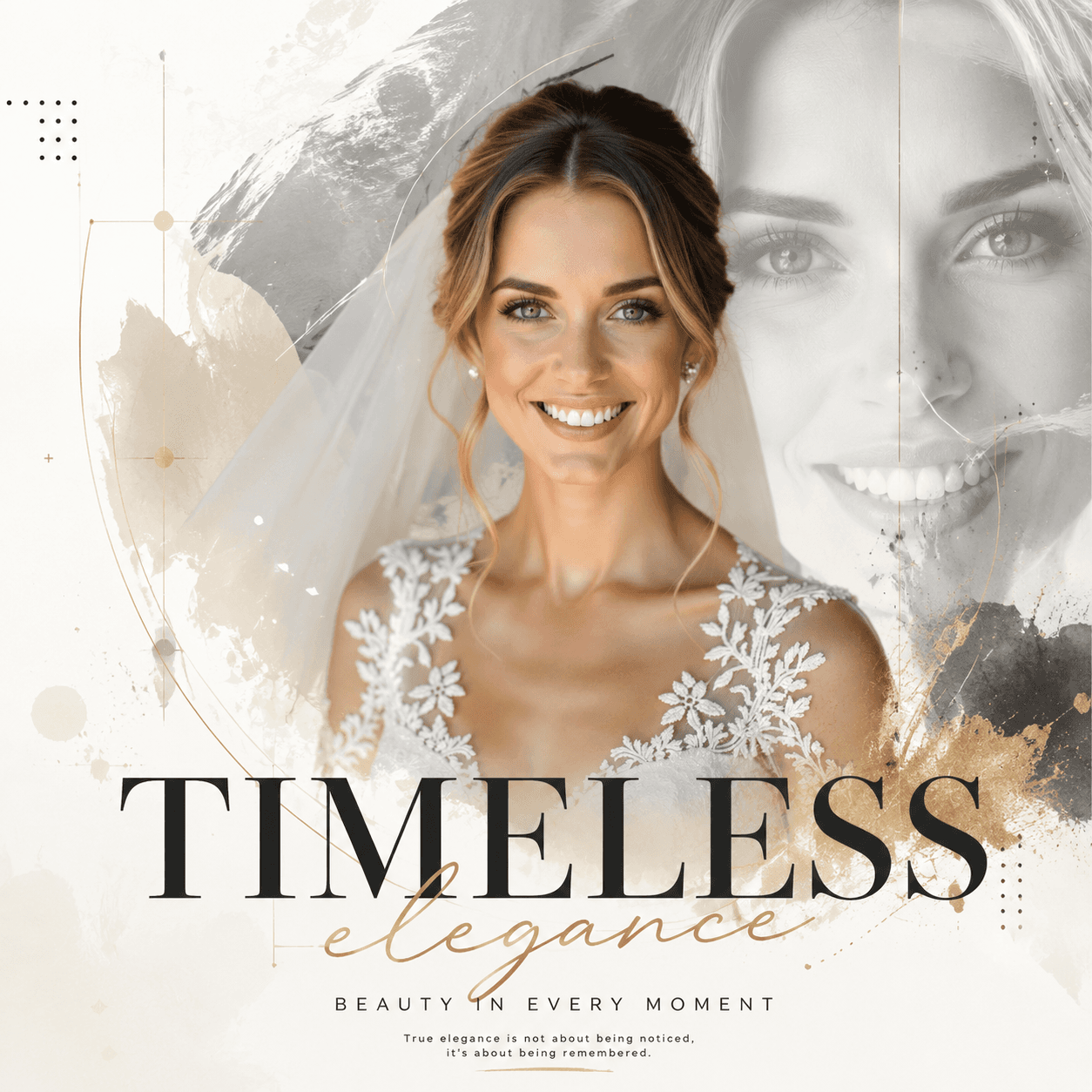
Fashion collage poster prompts work in layers: pin the color subject to the foreground at 45–55% of the frame, push an enlarged grayscale close-up behind it, and scatter abstract brushes, ink splashes, geometric lines, and dot matrices around the subject for rhythm. OpenVideos opens Create with GPT Image 2 Edit and a 1:1 poster frame.
Add a three-line type hierarchy — large bold title, one handwritten emphasis line, one small description — to anchor the editorial poster read. AI editors can garble long copy, so keep text blocks short and avoid asking for full sentences.
Credits deduct per edit job and show in Create before submit. GPT Image 2 Edit suits premium poster polish; switch to Nano Banana for faster drafts or Seedream 4 for bolder stylization. Outputs land in My Works like any generation.
Edit prompt tips
Color subject in the foreground, grayscale close-up behind — that depth read sells the collage poster look.
Large bold title plus one handwritten line plus one small line. More text blocks invite garbled glyphs.
1:1 for social, 3:4 for Pinterest and editorial, 16:9 for blog headers — switch in Create before submit.
Edit samples
Curated edit prompts for this page. Upload your photo in Create after opening a sample.
More edit workflows
Yes. Image-editor models are image-to-image. The preset describes the poster treatment applied to your reference upload.
Keep text to a bold title and one or two short lines. Long copy often comes back as garbled glyphs on AI-generated posters.
More questions on the image editor hub FAQ
Plans
Use credits across AI video, image, short clip, and cinematic scene workflows. Choose the pack that matches your production volume.
New accounts get 50 free credits (30 days) — enough for about 5 AI images.
$12.90
1,000 credits · 30 days
$29.90
2,500 credits · 3 months
$79.90
10,000 credits · 6 months
$199.00
30,000 credits · 1 year
Secure checkout · Validity 30 days to 1 year
Start editing
Open the studio, pick an edit model, and generate in the same OpenVideos workflow.